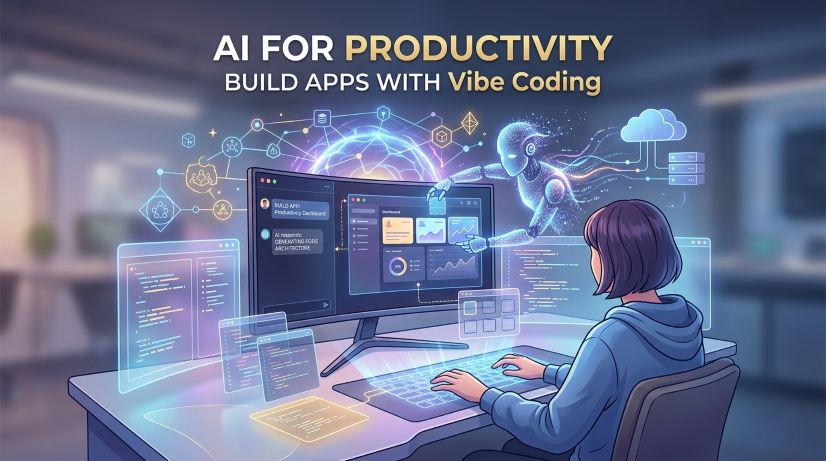
AI for Productivity
... use AI to be more productive
Course Overview
AI for Productivity: Building Applications with Vibe Coding
Course Level: Beginner to Intermediate
Format: 5 Modules | Hands-On & Project-Based
Target Audience: Entrepreneurs, product managers, non-technical creators, and professionals seeking to automate workflows and rapidly prototype software using modern AI developer tools.
Course Description
Welcome to AI for Productivity: Building Applications with Vibe Coding—a practical, output-driven course designed to help you transform ideas into fully functional software applications without writing traditional code line by line.
"Vibe coding" relies on natural language, AI coding assistants, and rapid feedback loops to architect, refine, test, and deploy production-ready web and mobile tools. In this course, you will learn how to direct AI models effectively, structure software logic through prompt-driven design, implement essential security controls, and deploy your tools to streamline business operations and personal productivity.
Course Outline
Module 1: Introduction and Setup
Objective: Prepare your local and cloud development environment with AI-assisted software engines and low-code tools.
-
1.1 Understanding "Vibe Coding"
-
The shift from syntax writing to system direction and orchestration.
-
Selecting the right AI tools for your stack (e.g., Cursor, Lovable, Bolt, Claude, GitHub Copilot).
-
-
1.2 Setting Up the Development Environment
-
Installing required IDEs, terminal extensions, and command-line interfaces.
-
Setting up version control with GitHub to manage AI-generated commits.
-
-
1.3 Configuring AI Models & API Keys
-
Managing API credentials securely via environment variables (
.env). -
Customizing system prompts, context rules, and workspace configurations for your AI coding assistant.
-
Module 2: Generating the Concept & System Architecture
Objective: Translate vague ideas into crisp, structured technical specifications that AI agents can execute accurately.
-
2.1 Defining the Core Workflow
-
Mapping user journeys, inputs, transformations, and desired outputs.
-
Creating lightweight wireframes and user flow diagrams using natural language tools.
-
-
2.2 AI-Driven Data Modeling & System Design
-
Generating database schemas, state management plans, and API contracts.
-
Structuring application logic before generating UI elements.
-
-
2.3 Context Management & Master Prompting
-
Writing effective
PRD.md(Product Requirements Document) files to guide AI code generation. -
Keeping your workspace context clean to avoid hallucinations and scope creep.
-
Module 3: Generating & Refining the App
Objective: Rapidly scaffold the frontend and backend, then iterate through dynamic design and output refinement.
-
3.1 Scaffolding the Initial Application
-
Prompting full-stack templates (UI layout, interactive components, API routes).
-
Connecting frontend interfaces to backend databases and external APIs.
-
-
3.2 Iterative Design & UI Refinement
-
Customizing styling, accessibility, and responsiveness through conversational tweaks.
-
Polishing micro-interactions, layout constraints, and visual theme consistency.
-
-
3.3 Handling Edge Cases & Logic Tuning
-
Identifying missing state handlers (loading, error, empty states).
-
Debugging AI-generated errors by feeding terminal and console logs back into the model.
-
Module 4: Security and Best Practices
Objective: Ensure application resilience, data privacy, access control, and reliable performance.
-
4.1 Access Control & Authentication
-
Implementing user authentication (OAuth, magic links, session management).
-
Enforcing Role-Based Access Control (RBAC) and data isolation.
-
-
4.2 Security Auditing & Data Safety
-
Preventing common vulnerabilities (SQL injection, XSS, exposed secrets).
-
Sanitizing user inputs and managing API rate limits.
-
-
4.3 Automated Testing & Feature Validation
-
Prompting unit, integration, and end-to-end tests using testing frameworks.
-
Conducting functional sanity checks to verify core productivity features.
-
Module 5: Deployment and Operations
Objective: Launch the application to live production, set up continuous updates, and monitor runtime health.
-
5.1 Cloud Hosting & One-Click Deployment
-
Deploying applications to modern hosting platforms (e.g., Vercel, Netlify, Supabase, Render).
-
Configuring custom domain names, SSL certificates, and DNS records.
-
-
5.2 Usage Tracking & Analytics
-
Integrating telemetry, user analytics, and event logging.
-
Monitoring API consumption, compute costs, and performance bottlenecks.
-
-
5.3 Maintenance & Continuous Iteration
-
Establishing a continuous delivery workflow for adding features via vibe coding.
-
Managing backup strategies and schema migrations as your app grows.
-
Available Dates & Locations
Oct 09 - Oct 31, 2026
No venues available for this date
Nov 06 - Nov 28, 2026
No venues available for this date
About the Facilitator

Anthony Nwokoma
Msc Information Technology
Have a career in Software Development that has lasted over 16 years
View Profile →Don't have an account? Sign up